Shopify Customers MailMerge
Shopify Customers CSV Mail Merge — Offline US UK CA AU Packs
Turn a Shopify Customers CSV into clean US, UK, CA, AU or generic mail-merge address columns.
 JWillum products
Event QR Badges · $8 one-time
Turn an attendee CSV into printable Avery 5395-compatible name badges and fold-up table tents with vCard QR codes.
Get it on Gumroad — $8 Read the free guideYou have an attendee list in a spreadsheet and a box of sticker name badges. You want each badge to show a name, an organization and a QR code, and you don't want printing mistakes to ruin whole sheets.
Real screenshots of the tool running locally with sample data.
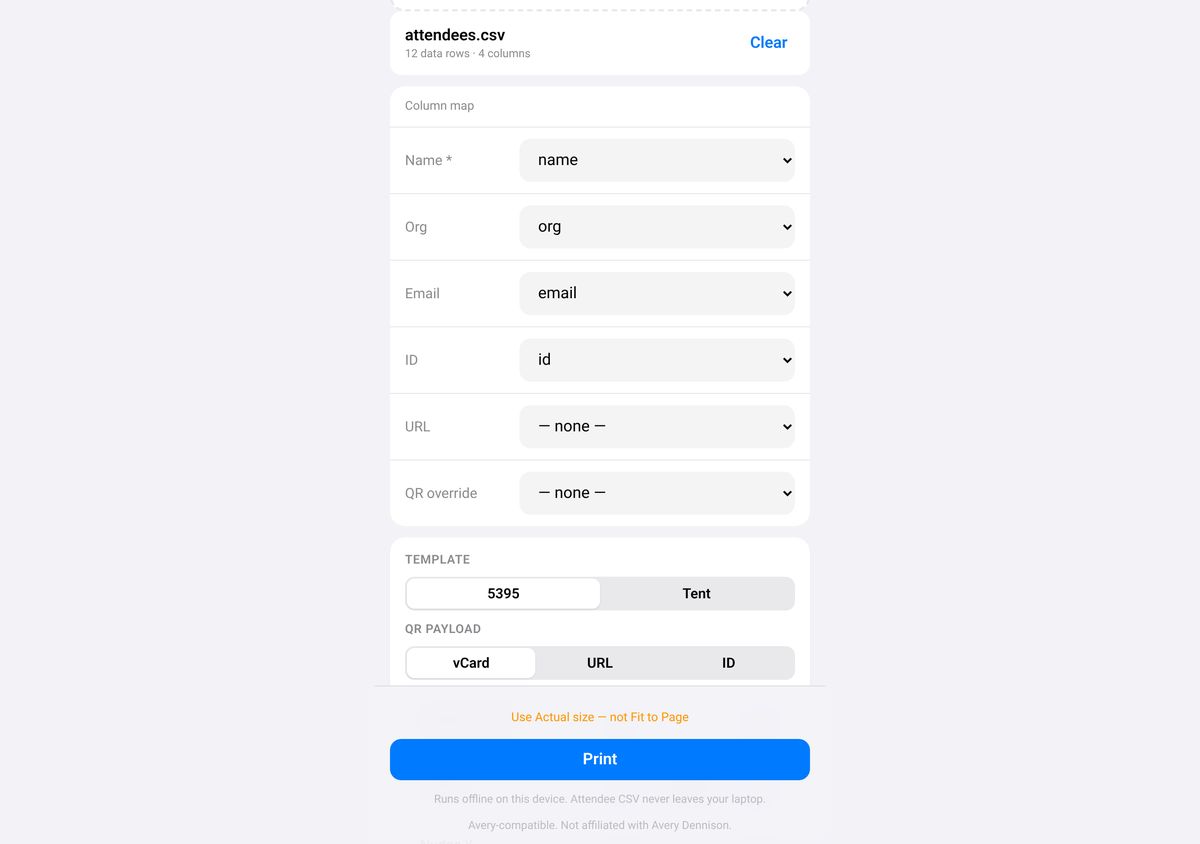
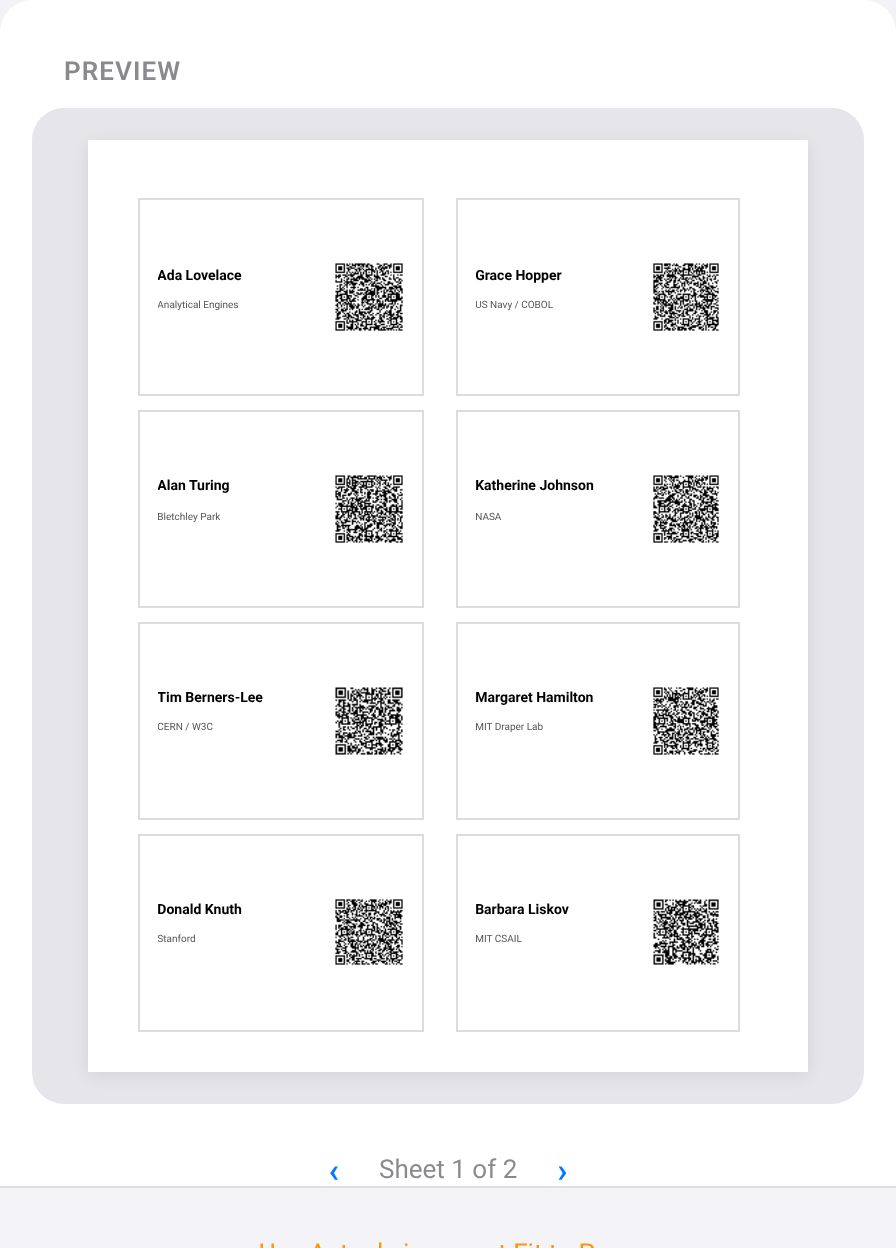
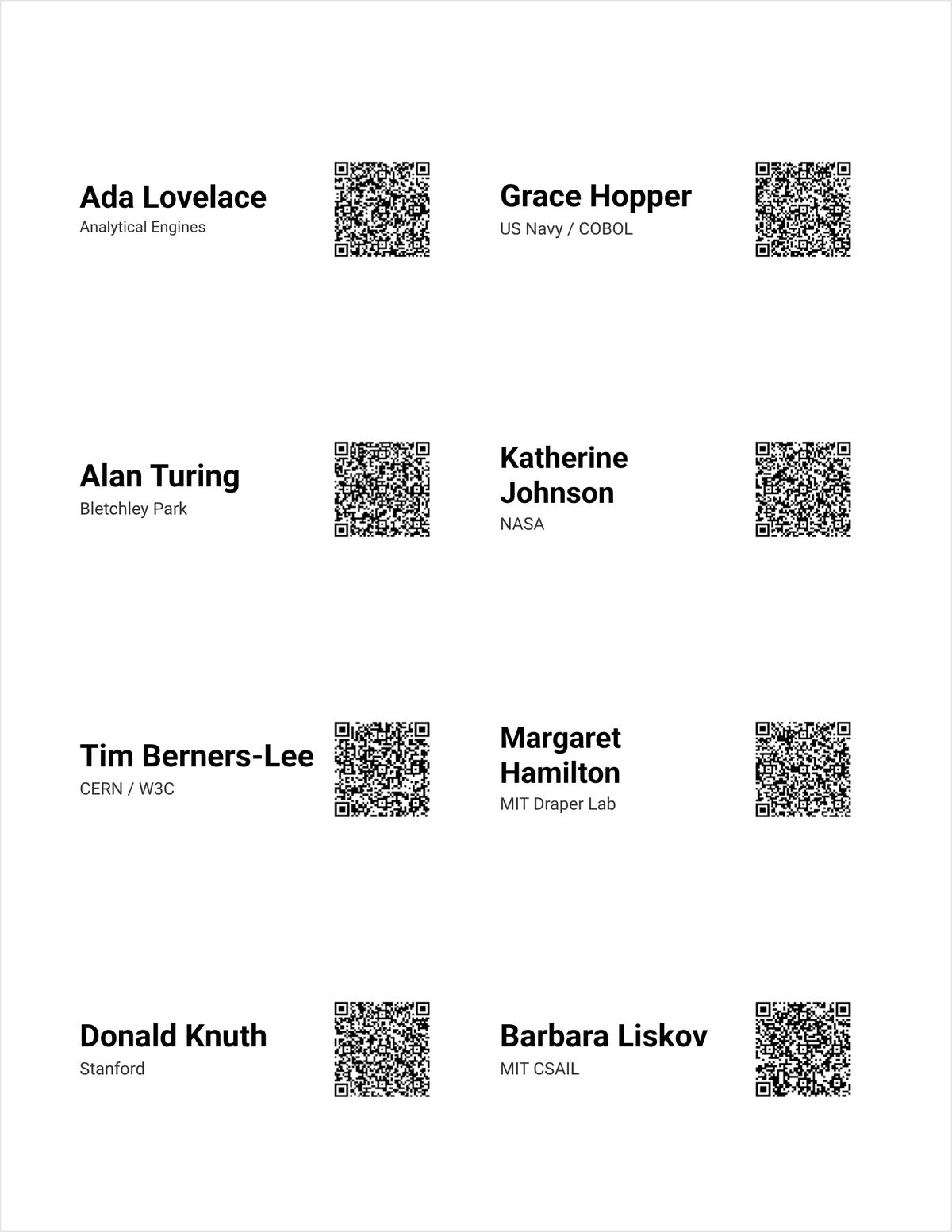
Set scale to Actual size (Chrome, Edge) or 100% (Firefox, Safari), not Fit to page. Paper size must be US Letter. If labels are off by a millimeter or two, use the X/Y nudge and print one test sheet.
A name column (name, full_name or display_name) is required. org, email, id, url and qr are optional. Use UTF-8, about 500 rows max.
Prefer vCard with an email or id, keep vCard short, print dark on white at Actual size and test before laminating. The phone needs a camera or reader that understands vCard.
Yes. Everything runs in the browser with no network calls, no analytics and no accounts.
The scope is intentionally narrow so the geometry stays accurate. Other Avery SKUs, A4, thermal and branded tent products are out of scope.
No. It costs $8, paid once on Gumroad. See the product page on Gumroad for its refund policy.
Help pages from the platforms involved.
How to make QR code name badges for an event from a spreadsheet: how to do it by hand, step by step.
Shopify Customers MailMerge
Turn a Shopify Customers CSV into clean US, UK, CA, AU or generic mail-merge address columns.
Shopify CSV Densifier
Fill the blank order-level cells in a Shopify Orders CSV, then trim it to Pick, Pack or 3PL column presets.